Update personal information on Flavur account
This guide is for someone who'd like to change the name or phone number on their Flavur account.
Forgot your password?
Recover your Flavur accountStep 1: Go to Flavur Log in page
- Tap the "account" icon on the top right of your phone or laptop screen.
- You will be redirected to a Log In page.
- Type in your Flavur ID and password
- Hit "Enter"

Step 2: Update information
- Tap on "Full Name" if you'd like to update your name.
- Tap on "Phone number" if you'd like to update your contact number.
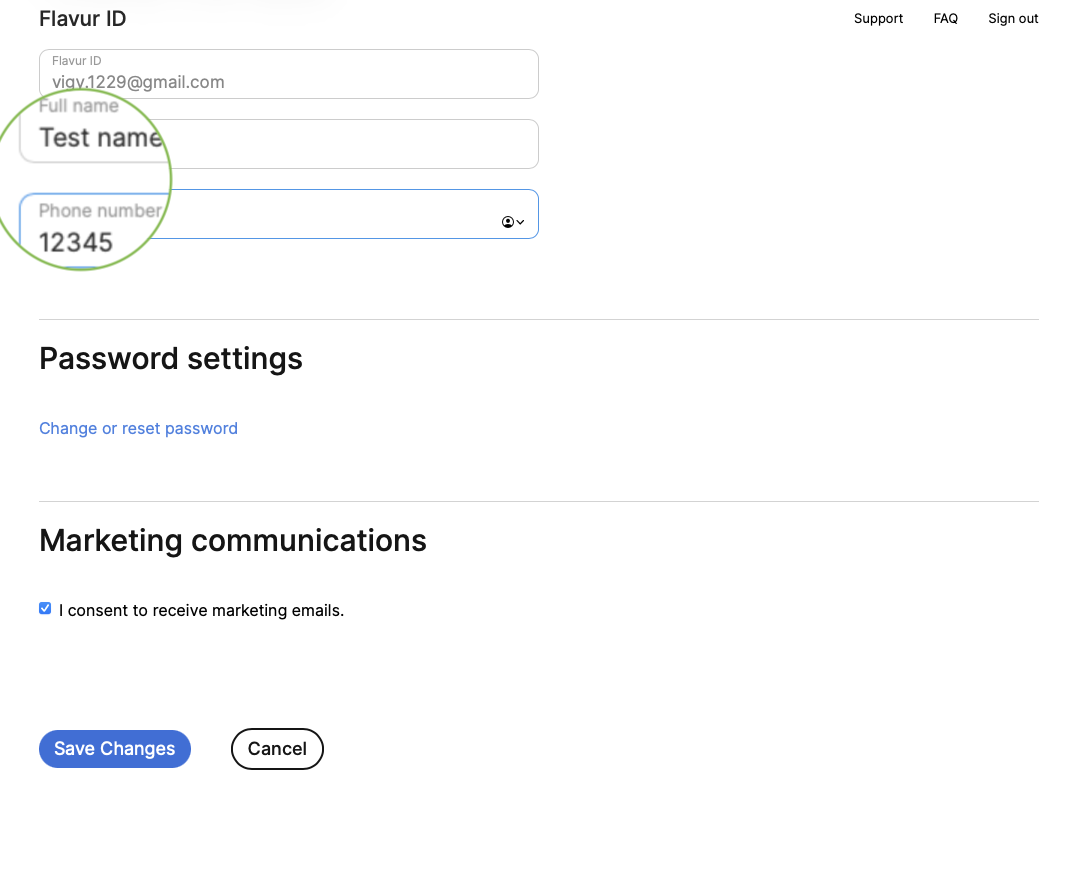
Step 3: Save
Once you've updated your information, click "Save" at the bottom of the account page.
If you wish to cancel the changes, click "Cancel".